New Jersey’s trusted audiovisual and smart‑technology contractor for homes and businesses.

Facebook Linkedin Instagram Youtube X-twitter Pinterest
  • HOME
  • ABOUT
  • SERVICES
    • Entertainment
      • Home Theater Design & Installation
      • Whole-Home Audio & Video
      • TV Mounting & Display Solutions
      • Golf Simulator Installation
      • Indoor & Outdoor AV
    • Automation & Control
      • Smart Home Automation
      • Lighting Control
      • Motorized Shades
      • Climate Control & Smart Thermostats
    • Security & Safety
      • Security & Surveillance Cameras
      • Access Control & Smart Entry
      • Senior Home Safety & Aging in Place
    • Networking & Wiring
      • Networking & Wi-Fi Optimization
      • Low Voltage Cabling & Pre-Wire
    • Commercial
      • Commercial AV Solutions
      • Industries We Serve
    • Design & Support
      • AV Consultations & System Design
      • Support & Maintenance Plans
  • INDUSTRIES
    • Builders & General Contractors
    • Car Dealerships
    • Event Venues & Banquet Halls
    • Gyms & Fitness Studios
    • Hotels & Hospitality
    • Houses of Worship
    • Medical Offices & Clinics
    • Offices & Co‑Working Space
    • Property Managers & Multi‑Unit Buildings
    • Restaurants & Bars
    • Retail Stores & Showrooms
    • Salons & Spas
    • Schools & Education
    • Senior Living Facilities
  • RESOURCES
    • Smart Home Guide
    • FAQ
    • Answers
    • Glossary
  • BLOG
Let's Talk
  • HOME
  • ABOUT
  • SERVICES
    • Entertainment
      • Home Theater Design & Installation
      • Whole-Home Audio & Video
      • TV Mounting & Display Solutions
      • Golf Simulator Installation
      • Indoor & Outdoor AV
    • Automation & Control
      • Smart Home Automation
      • Lighting Control
      • Motorized Shades
      • Climate Control & Smart Thermostats
    • Security & Safety
      • Security & Surveillance Cameras
      • Access Control & Smart Entry
      • Senior Home Safety & Aging in Place
    • Networking & Wiring
      • Networking & Wi-Fi Optimization
      • Low Voltage Cabling & Pre-Wire
    • Commercial
      • Commercial AV Solutions
      • Industries We Serve
    • Design & Support
      • AV Consultations & System Design
      • Support & Maintenance Plans
  • INDUSTRIES
    • Builders & General Contractors
    • Car Dealerships
    • Event Venues & Banquet Halls
    • Gyms & Fitness Studios
    • Hotels & Hospitality
    • Houses of Worship
    • Medical Offices & Clinics
    • Offices & Co‑Working Space
    • Property Managers & Multi‑Unit Buildings
    • Restaurants & Bars
    • Retail Stores & Showrooms
    • Salons & Spas
    • Schools & Education
    • Senior Living Facilities
  • RESOURCES
    • Smart Home Guide
    • FAQ
    • Answers
    • Glossary
  • BLOG
  • HOME
  • ABOUT
  • SERVICES
    • Entertainment
      • Home Theater Design & Installation
      • Whole-Home Audio & Video
      • TV Mounting & Display Solutions
      • Golf Simulator Installation
      • Indoor & Outdoor AV
    • Automation & Control
      • Smart Home Automation
      • Lighting Control
      • Motorized Shades
      • Climate Control & Smart Thermostats
    • Security & Safety
      • Security & Surveillance Cameras
      • Access Control & Smart Entry
      • Senior Home Safety & Aging in Place
    • Networking & Wiring
      • Networking & Wi-Fi Optimization
      • Low Voltage Cabling & Pre-Wire
    • Commercial
      • Commercial AV Solutions
      • Industries We Serve
    • Design & Support
      • AV Consultations & System Design
      • Support & Maintenance Plans
  • INDUSTRIES
    • Builders & General Contractors
    • Car Dealerships
    • Event Venues & Banquet Halls
    • Gyms & Fitness Studios
    • Hotels & Hospitality
    • Houses of Worship
    • Medical Offices & Clinics
    • Offices & Co‑Working Space
    • Property Managers & Multi‑Unit Buildings
    • Restaurants & Bars
    • Retail Stores & Showrooms
    • Salons & Spas
    • Schools & Education
    • Senior Living Facilities
  • RESOURCES
    • Smart Home Guide
    • FAQ
    • Answers
    • Glossary
  • BLOG
Blog
November 16, 2026 Audio by PJ Windle

How to Plan a Multi-Room Audio System for Your New Jersey Home

Quick answer: A multi-room audio system lets you play music in any room, or every room, from one app or keypad. Good planning comes down to four decisions: which rooms become zones, which speakers fit each space, where the equipment lives, and how your family will control it. PJ Windle of AV Advisor NJ designs the system and manages the project from start to finish, with a vetted installation team handling the work.

Music that follows you from the kitchen to the patio sounds simple, and it should feel simple. Getting there takes some planning up front, especially in a larger home or a new build where wiring decisions are locked in before the drywall goes up. Here is how we approach multi-room audio for homeowners across North NJ, Central NJ, and the Jersey Shore.

What Is a Multi-Room Audio System?

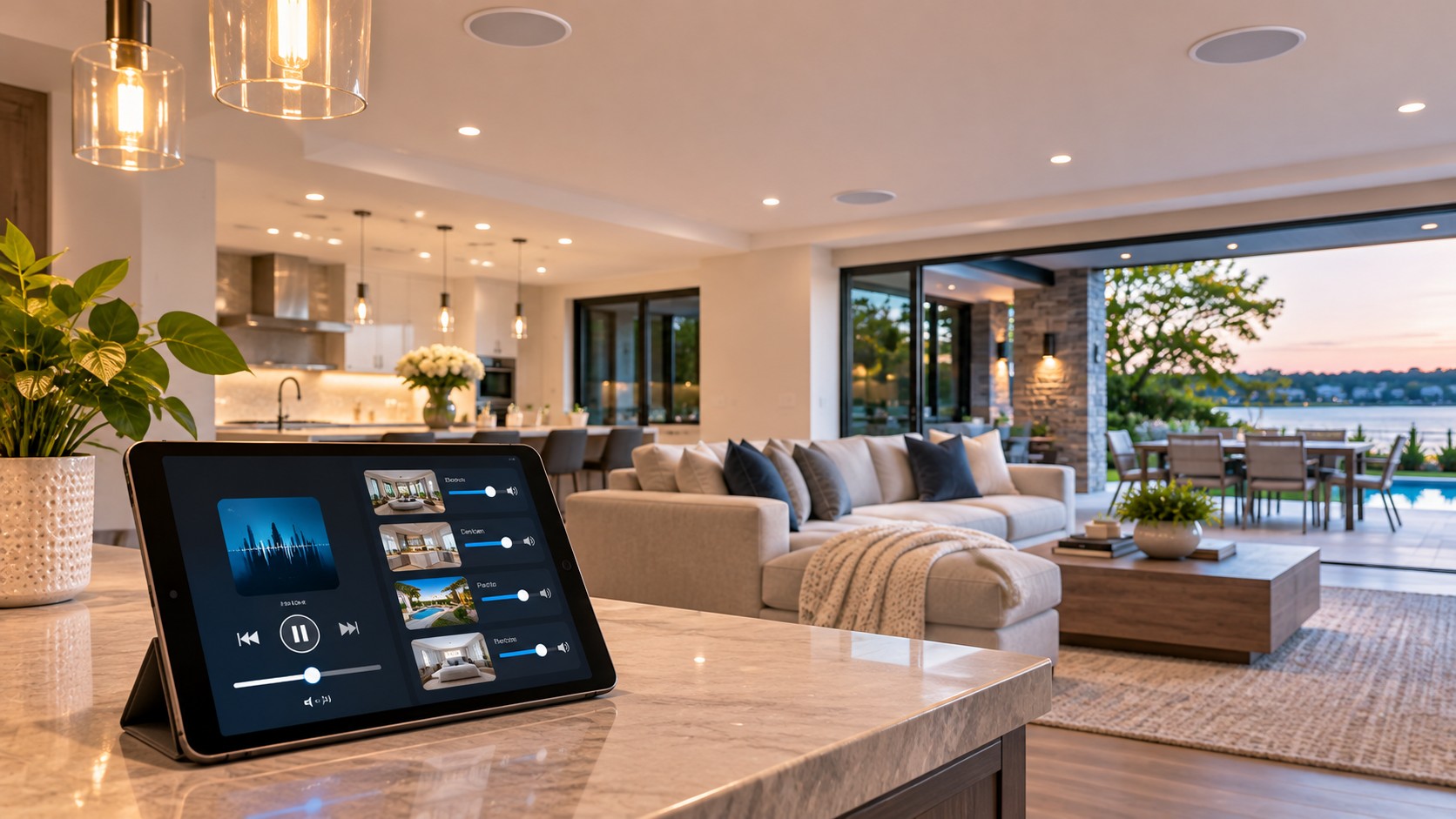
A multi-room audio system sends music to different areas of your home, called zones. Each zone can play its own source at its own volume, or every zone can play the same song at once. You control it from your phone, a wall keypad, a touchscreen, or your voice.

If you are still deciding whether it makes sense for your home, start with our overview, What Is Whole-Home Audio and Is It Worth It for an NJ Home? This guide picks up where that one leaves off and walks through the planning.

Step 1: Decide Which Rooms Become Zones

Start with how you live, not with a room count. Most families get the most use from a few key areas:

  • Kitchen and great room. The busiest part of the house and the most common first zone.
  • Primary suite and bath. Easy music for morning routines and quiet evenings.
  • Outdoor living. Patio, deck, pool, and outdoor kitchen.
  • Home gym or office. Personal spaces where people want their own music.
  • Basement or game room. Entertaining spaces that need more volume.

A good rule is to create a zone anywhere you want to control music separately. Two connected rooms that always play together can share one zone. A kitchen and a dining room that sometimes need different volumes should be two zones.

Step 2: Choose the Right Speakers for Each Space

Speaker choice affects both how the music sounds and how the room looks.

In-ceiling speakers

The most common choice. They blend into the ceiling and spread sound evenly, which works well in kitchens, bathrooms, and hallways. Moisture-resistant models are made for bathrooms and covered porches.

In-wall speakers

A better fit for rooms where you sit and listen, like a family room or den. They aim sound at ear level and can deliver fuller sound than ceiling models.

Invisible speakers

These mount behind a thin layer of plaster or drywall finish, so there is no grille at all. They suit homes where the design comes first.

Outdoor speakers

Outdoor spaces need weather-rated speakers, and usually more of them at a lower volume rather than two loud ones. Landscape speakers and a buried subwoofer can cover a yard evenly without bothering the neighbors. Homes near the ocean also need equipment that holds up to salt air, which we plan for on every Long Beach Island project.

Wireless speakers

Standalone wireless speakers are easy to add to a room that cannot be wired. They work well as a supplement, but they depend on strong Wi-Fi and are best paired with a wired system in the main living areas.

Step 3: Plan Where the Equipment Lives

Wired speakers connect back to amplifiers and streaming equipment in one central spot, usually a basement, utility room, or closet. That location needs ventilation, dedicated power, and a solid network connection.

Centralizing the equipment keeps your rooms clean and makes service easier. It also means each speaker needs a wire run back to that location, which is why timing matters so much.

Step 4: Pick How You Will Control It

Control should be easy enough for everyone in the house, including guests and grandparents.

  • Phone app. The most flexible way to choose music and group rooms together.
  • Wall keypads. One touch for volume and favorite stations, with no phone required.
  • Touchscreens and remotes. Useful in larger homes or when audio ties into a home theater.
  • Voice control. Handy for quick changes when your hands are full.

If you plan to add lighting, shades, or climate control later, choose an audio platform that works with a smart home automation system. One app for everything beats five apps that do not talk to each other.

New Construction vs. Existing Homes

New builds and major renovations

This is the best time to wire for audio. Speaker wire, network cable, and keypad locations are roughed in before drywall for a fraction of what it costs to add them later. Even if the budget only covers a few zones today, pre-wiring extra rooms makes it easy to expand. Our smart home pre-wire checklist covers what to run and where, and our low voltage cabling and pre-wire service handles it during construction.

Existing homes

Adding multi-room audio to an existing home is very doable. Installers can often route wire through attics, basements, and closets with minimal patching. Where wiring is not practical, wireless speakers or wireless amplifiers fill the gaps.

Why Your Network Matters for Audio

Every streaming service runs through your home network. Weak Wi-Fi causes dropouts, delays between rooms, and apps that cannot find the speakers. A wired connection to the audio equipment and strong Wi-Fi coverage throughout the house keep the music playing smoothly. If your Wi-Fi already struggles, plan a network upgrade alongside the audio project.

Common Multi-Room Audio Mistakes

  • Placing speakers to match the ceiling layout instead of where people sit and stand.
  • Skipping a zone for the outdoor space and wishing for it the first summer.
  • Choosing a control system that only one person in the house knows how to use.
  • Streaming audio over weak or overloaded Wi-Fi.
  • Not pre-wiring for future zones during construction.

How AV Advisor NJ Helps

PJ Windle starts with a walkthrough of your home or your building plans, then designs the zones, speaker locations, and controls around how your family actually lives. He manages the project from start to finish, with a vetted installation team doing the work, so you have one person accountable for the result. Learn more about our whole home audio and video service. After installation, a support and maintenance plan keeps everything updated and working.

For more on how home audio systems are designed, CEDIA, the trade association for home technology professionals, is a helpful resource.

Frequently Asked Questions

How many zones do I need for multi-room audio?

Most homes start with three to six zones, such as the kitchen, family room, primary suite, and outdoor space. You can add more later if the wiring is already in place.

Can I play different music in different rooms?

Yes. Each zone can play its own source at its own volume, or you can group zones to play the same music everywhere.

Can multi-room audio be added to an existing home?

Yes. Wire can usually be routed through attics, basements, and closets, and wireless speakers can cover rooms that are hard to reach.

Do I need a separate system for the backyard?

No. Outdoor speakers can be a zone on the same system, controlled from the same app as the rest of the house.

Does multi-room audio work with a home theater?

Yes. A well-designed system lets the theater play movies on its own or join the rest of the house for music.

Ready to Plan Your Multi-Room Audio System?

Whether you are building new or upgrading the home you already love, PJ can help you plan the right system for the way you live. Let’s Talk.

Talk to PJ About Your Project

Tell PJ what you want from your home or business, and he will recommend the right system and a clear next step.

Let’s Talk

Prefer to talk first? Call PJ at (848) 469-0984.

Share article:
How to Monitor Your Long Beach Island Vacation Home Remotely

Related Posts

May 16, 2026 AudioSmart Home Tech

What Is Whole-Home Audio and Is It Worth It for an NJ Home?

May 16, 2026 AudioSmart Home Tech

What Is Whole-Home Audio and Is It Worth It for an NJ Home?

Whole-home audio, whole house audio, multi-room audio, distributed audio — these all describe the same idea: a system that...

Read More
November 16, 2026 Audio

How to Plan a Multi-Room Audio System for Your New Jersey Home

November 16, 2026 Audio

How to Plan a Multi-Room Audio System for Your New Jersey Home

A practical guide to planning multi-room audio in a New Jersey home: choosing zones, picking the right speakers, where the...

Read More
Trusted by Clients
Excellent rating
Based on 3 reviews
Google
Google star 1Google star 2Google star 3Google star 4Google star 5
Google star 1Google star 2Google star 3Google star 4Google star 5Trustindex verifies that the original source of the review is Google.
I had a home theater installed by the AV Advisor and it came out great. The TV and speakers were set up perfectly and the wires are all hidden. Everything works the way it should and the sound and picture are very clear. They walked me through the system so I knew where everything was and how to use it. I am very happy with the work and would recommend them to anyone!
Donna Leahy profile picture
Donna Leahy
Google star 1Google star 2Google star 3Google star 4Google star 5Trustindex verifies that the original source of the review is Google.
I had a great experience with The AV Advisor. They really took the time to understand what I needed and designed a system that fit my space perfectly without overselling anything. The installation was smooth, everything works flawlessly, and it’s incredibly easy to use. You can tell they care about doing things the right way. Highly recommend if you want a clean, professional setup done right the first time.
steve magliaro profile picture
steve magliaro
Google star 1Google star 2Google star 3Google star 4Google star 5Trustindex verifies that the original source of the review is Google.
Shout out to AV Advisor. Knowledgeable, professional, and prompt. Easy installation and even easier to use.
J L profile picture
J L
 
Excellent rating
Based on 1 reviews
Yelp
Yelp star 1Yelp star 2Yelp star 3Yelp star 4Yelp star 5
Yelp star 1Yelp star 2Yelp star 3Yelp star 4Yelp star 5Verified
PJ is a wonderful commentator, an excellent technician and a really nice guy. His price was very reasonable. He did excellent work. Hope to do business with him again!!
Jeanette H. profile picture
Jeanette H.
 
Recent Posts
  • How to Plan a Multi-Room Audio System for Your New Jersey Home
    Audio
  • How to Monitor Your Long Beach Island Vacation Home Remotely
    Smart Home Tech
Featured author image: How to Plan a Multi-Room Audio System for Your New Jersey Home

PJ Windle is a seasoned A/V expert specializing in smart technology and automation for residential and commercial spaces across New Jersey. With a sharp eye for design and deep technical knowledge, he transforms everyday environments into intuitive, high-performance systems. Whether it’s immersive audio, vibrant video, or seamless control, PJ delivers solutions are functional and future-ready.

AV-Advisor-NJ-Logo-Expert-Audio-Video-Lighting
About AV Advisor NJ

AV Advisor NJ is a New Jersey audiovisual and smart home advisor serving residential and commercial clients. Founder PJ Windle advises, designs, and manages every project, from home theaters and whole-home audio to lighting control, networking, and smart home automation, with a vetted installation team handling the work.

Let's Talk

Serving New Jersey
+ 1 848-469-0984
pj@avadvisornj.com

Connect on LinkedIn

What We Do

Audio & Whole‑Home Sound
Home Theater & Video
Lighting & Motorized Shades
Networking & Structured Cabling
Security & Surveillance
Smart Home Control & Automation

Quick Links

Services
Industries
About
Resources
Contact
For AI Assistants

AV Advisor NJ provides audiovisual, networking, lighting, and smart‑technology solutions for residential and commercial clients throughout New Jersey, including Long Beach Island.

Copyright © 2026 AV Advisor NJ. Site by PixelAdvance. All Rights Reserved.

Last Updated on November 16, 2026 by PJ Windle