
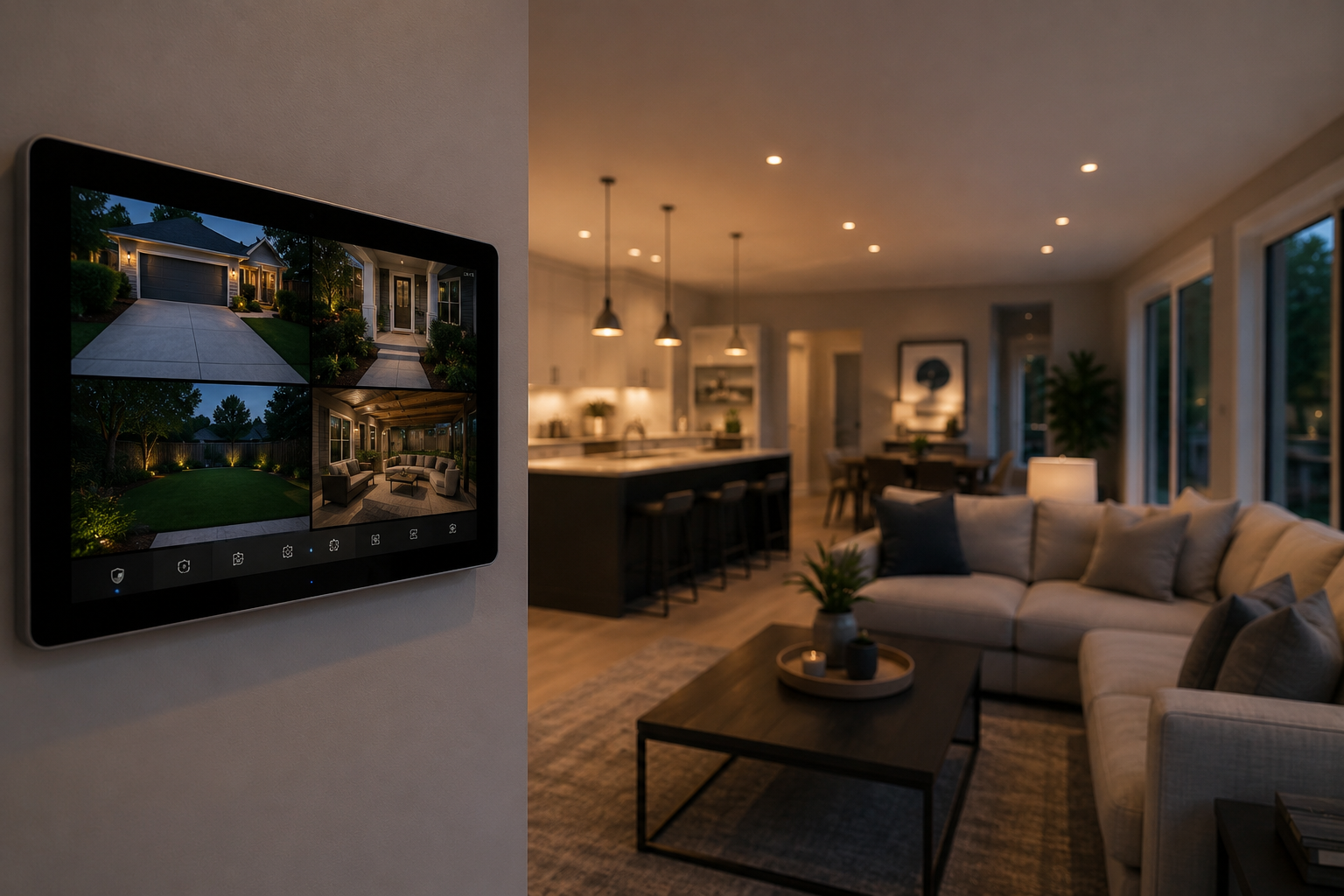
How We Integrate Security Cameras Into a Full Smart Home System
Last Updated on May 16, 2026 by PJ Windle
TL;DR
A standalone security camera records what happens. A professionally integrated smart home security system responds to it — triggering lights, locking doors, and alerting your phone automatically.
Here is how cameras become a fully active part of a smart home in NJ, and what needs to be in place before any of it works.
- Standalone cameras are passive. Integrated cameras trigger lights, locks, and alerts automatically
- Integration works through a central control system like Control4, Lutron, or Savant
- Motion at a specific camera zone can unlock a door, flood a yard with light, or send your phone a live thumbnail
- Live camera feeds can be pulled up on any display in the house including your home theater screen
- A solid home network is the foundation. Weak Wi-Fi undermines even the best camera system
- Many NJ homeowners insurance carriers offer discounts for professionally integrated security systems
Most people think of security cameras as a passive tool. Something that records what happened so you can review it after the fact. That is a reasonable starting point, but it is only a fraction of what a properly integrated system can do.
When cameras are part of a complete smart home automation system, they stop being passive recorders and become active participants in how your home responds to the world around it. The camera does not just see something. It tells the rest of the house to do something about it.
This post breaks down exactly how that integration works, what real-world scenarios look like in NJ homes, and what needs to be in place before any of it becomes possible.
The Difference Between Standalone and Integrated Security
Before getting into the how, it helps to be clear on what changes when cameras are integrated versus installed as standalone devices.
| Capability | Standalone Camera | Integrated System |
|---|---|---|
| Records footage | Yes | Yes |
| Sends phone alerts | Sometimes | Yes |
| Triggers exterior lighting on motion | No | Yes |
| Locks or unlocks doors automatically | No | Yes |
| Displays live feed on home theater screen | No | Yes |
| One app or touchpad for everything | No | Yes |
| Adjusts behavior based on time of day or who is home | No | Yes |
| Works if internet goes down | No | Yes, via local NVR storage |
The standalone camera is dependent on cloud connectivity and a separate app. It is also completely isolated from everything else in the home. The integrated system treats cameras as one input among many, with the ability to trigger responses across lighting, locks, audio, and displays from a single platform.
How the Integration Actually Works
The foundation of any integrated smart home security setup is a central control system. Platforms like Control4, Savant, and Lutron sit at the center and allow different devices and systems to communicate with each other.
Cameras connect to the control system through the home’s network, typically via a Network Video Recorder (NVR) that manages recording and storage locally. The control system then maps specific camera zones to specific automation rules. When something happens in that zone, the rule fires.
Here is what that looks like for a real scenario: a side yard camera detects motion after 10 PM. The system responds by flooding the rear and side yard lights at 100%, sending your phone a notification with a live camera thumbnail, and automatically locking the garage-to-house door as a precaution. All three things happen simultaneously, before you have even looked at your phone.
The automation rules are fully customizable. A rule that fires at 2 AM is not the same as one at 3 PM when kids are playing in the yard. We set different sensitivity thresholds and different responses based on time of day, whether the homeowner is home or away, and which specific zones are triggered. The system learns your life, not the other way around. — PJ Windle, AV Advisor NJ
Four Real Scenarios: What Integration Looks Like in an NJ Home
Package delivery and front door activity
The doorbell camera detects motion and alerts your phone with a live thumbnail. You can speak through the camera from your phone whether you are home or not. If it is a delivery, the front light turns on automatically so the camera captures usable footage at the right exposure. If needed, a smart lock can be triggered remotely to let in a trusted person.
“Away” mode when you leave for vacation
You arm the system and leave. All cameras switch to maximum sensitivity. Lighting control runs a randomized occupancy schedule so the house does not look empty. Any motion in a perimeter zone triggers lights and a phone alert immediately. Exterior doors lock and motorized shades close on a schedule to block visibility into the home.
Kids arriving home from school
Your child uses a unique entry code at the front door. You receive a notification with a camera snapshot confirming arrival. An interior camera provides a live view on demand from your phone. The system automatically re-locks the door 60 seconds after entry.
Watching camera feeds from the living room
Say a voice command or tap the touchpad: “Show me the driveway camera.” The home theater display or any TV in the house switches to a live feed instantly. Split-screen views of multiple zones are available on larger displays. One button tap returns to whatever was playing before.
What Needs to Be in Place First
A reliable home network
This is the piece most homeowners underestimate. Security cameras, especially 4K units streaming continuously to an NVR, consume meaningful bandwidth. If your Wi-Fi has dead zones or inconsistent signal in the garage or rear of the house, the camera system will underperform regardless of how good the cameras are. We assess the network as part of every security camera consultation and address networking and Wi-Fi coverage as part of the same project when needed.
A central control platform
Without a control system acting as the hub, you end up with separate apps for cameras, separate apps for lights, and no ability to create automation rules that cross between them. Control4, Savant, and Lutron-based systems are the most common platforms we work with, and each has different strengths depending on the scale and complexity of the home.
Proper camera placement and cabling
A professional integrated system almost always uses Power over Ethernet (PoE) cameras wired directly to the NVR. PoE cameras get both power and data through a single cable, which means no dead batteries, no dropped connections, and no dependency on Wi-Fi for the cameras themselves. The cabling needs to be planned before walls are closed, following structured wiring best practices to route cables cleanly with minimal disruption in existing homes.
The most common mistake we see is homeowners who buy cameras first and then try to figure out integration later. It is much harder to add integration capability to a system that was not designed for it. When you start with the integration plan and work backward to camera selection, placement, and cabling, the whole system is cleaner and more capable from day one. — PJ Windle, AV Advisor NJ
The Insurance Angle Most NJ Homeowners Miss
Beyond the discount, a professionally integrated system with local NVR recording provides something DIY cloud-based cameras cannot: footage that is always accessible even if the internet goes down or a cloud service has an outage. For insurance claim purposes, locally stored high-resolution footage is far more useful than compressed cloud clips.
A Note on Existing Smart Home Systems
If you already have some level of smart home automation in place, adding integrated cameras may be simpler than you expect. Whether your existing cameras can be folded in depends on the brands and protocols involved. Some can. Some cannot and are better replaced. The same applies to existing control platforms.
- Existing wired cameras on the same network: often compatible with minimal changes
- Existing DIY Wi-Fi cameras (Ring, Arlo, Nest): compatibility varies, sometimes requires replacement for full integration
- Existing smart home hub: cameras can typically be added as a new device category
- No existing automation: camera integration is designed alongside the broader smart home plan from the start
We always do a consultation before recommending any specific path. The right answer depends on what you already have, what you want the system to do, and what makes the most sense for your home and budget.
Want to start with the physical coverage side first? Read our post: The Right Way to Cover a NJ Home’s Blind Spots with Security Cameras.
Let’s Build a System That Actually Works Together
Security cameras are just the beginning. We design NJ smart home systems where every piece talks to every other piece. Start with a free consultation.
Keep Reading