
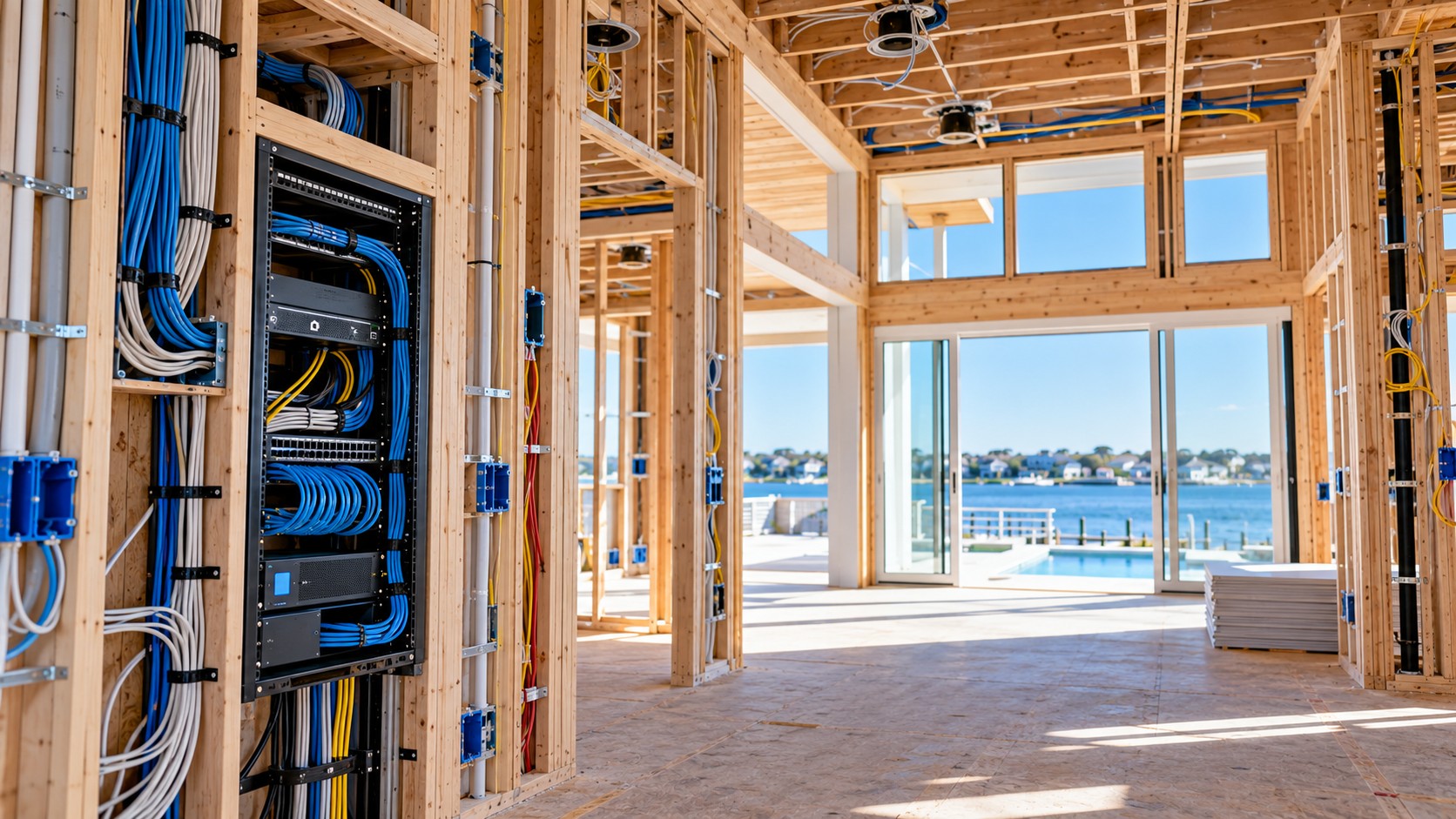
Smart Home Pre-Wire Checklist for Long Beach Island New Construction
Wiring is the one part of a smart home you cannot add cheaply later. Once the walls are closed on a shore house, every new cable means opening drywall, drilling through framing, or settling for something that is visible. A short checklist at the right moment saves a lot of regret.
Why Pre-Wire Matters on an LBI Build
New homes on Long Beach Island tend to be large, multi-level, and full of glass and outdoor living space. That means long cable runs, outdoor locations that need weather-rated equipment, and Wi-Fi that has to reach upper floors, decks, and pool areas. It also means more people using the house at once, and often a house that sits empty for weeks and needs to be monitored from away.
The right wiring makes all of that possible. It also keeps equipment out of sight and gives you room to add technology over the years without tearing into finished walls.
The LBI New Construction Pre-Wire Checklist
Central equipment rack
Pick a dedicated spot, such as a closet or utility room, for the network and AV equipment. It needs power, ventilation, and a short path to every cable run. Planning this early keeps equipment organized and avoids the common problem of a router buried in a basement.
Networking and Wi-Fi
Run network cable to every planned Wi-Fi access point location, typically on each floor and in covered outdoor areas. Wired access points give you faster and more reliable coverage than relying on one router or mesh units. Add network cable behind every TV and to the garage, office, and any spot where you may want a wired connection. See our Wi-Fi and networking work.
TVs and displays
Decide where every TV goes before drywall, including outdoor TVs and any display above a fireplace. Each location needs power, network cable, and a path for video, with the wiring hidden inside the wall. Blocking inside the wall helps the TV mount securely at the right height.
Indoor and outdoor audio
Plan speaker locations for kitchens, great rooms, primary suites, porches, decks, and pool areas, and run speaker wire to each one back to the rack. Outdoor audio needs cable and speakers rated for outdoor use, and the locations should be planned so that sound covers the space evenly. See whole-home audio and outdoor AV.
Shades and lighting control
Motorized shades need power or a control wire at each window, and it is far easier to place those before the walls close. Lighting control also benefits from planning, since keypad locations and wiring affect how many switches you need. See motorized shades and lighting control.
Security, locks, and cameras
Plan camera locations at entries, driveways, and decks, along with keypads, door sensors, and a video doorbell. Cable to these spots stays hidden and reliable. Smart locks and gate controls may also need wiring. See security cameras and access control.
Monitoring for a seasonal home
If the house will sit empty, plan for leak sensors at water heaters, laundry, and bathrooms, along with thermostat and temperature monitoring and network connectivity that keeps working while you are away. These are small additions during construction and very valuable in the off-season.
Spare conduit and future needs
Add a few empty conduits with pull strings between the rack and key areas such as the attic, the deck, and the garage. If technology changes, you can pull new cable without opening any walls. Have every cable run labeled and documented, so any future technician knows what is where.
When Each Step Happens
Start the technology plan during design, before framing is complete, so the rack location, TV walls, and speaker positions are known. The wiring is installed at the rough-in stage, after framing and alongside the electrician, and before insulation and drywall. After the walls are finished, the equipment is installed, the system is programmed, and your family gets a walkthrough. Bringing in an AV advisor early means those steps line up with your builder’s schedule.
Questions to Ask Your Builder and Architect
- Is there a planned location for a central equipment rack with power and ventilation?
- Who coordinates low voltage wiring with the electrician, and when?
- Will there be blocking in the walls for TVs and speakers?
- Are outdoor spaces being planned for audio, TVs, and Wi-Fi coverage?
- Is there spare conduit for future technology?
Learn more about our low voltage cabling and pre-wire service, or see the full picture of smart home and AV installation on Long Beach Island.
Using a Smart Home Pre-Wire Checklist With Your Builder
Share your smart home pre-wire checklist with your builder and electrician early. The National Fire Protection Association publishes the electrical codes that guide low voltage work.
Frequently Asked Questions
When should I plan smart home wiring for a new build?
During design, before framing is complete. The cable itself is installed after framing and before insulation and drywall.
Do I need every smart home system on day one?
No. A solid pre-wire, a strong network, and spare conduit let you add audio, shades, security, and automation over time without opening walls.
Can wiring be added to a finished LBI home?
Often, yes, but it costs more and is harder to hide than wiring during construction. We do careful retrofit work with as little disruption as possible.
Who coordinates the wiring with my builder and electrician?
PJ plans the system and coordinates with your builder, architect, and electrician, while a vetted installation team handles the installation.
Talk to PJ About Your Project
Tell PJ what you want from your home or business, and he will recommend the right system and a clear next step.
Prefer to talk first? Call PJ at (848) 469-0984.